
Focus
Why one task at a time beats a long to-do list
A long to-do list keeps you switching and second-guessing. How UK sole traders and directors can pick one task to do now and park the rest without guilt.
When you run a business on your own, the to-do list never ends. Invoices, client emails, a VAT question, the website, a supplier chasing payment, a new quote. Seeing all of it at once feels responsible. In practice it pulls you in five directions and you finish the day with lots of things started and few things done.
Working on one task at a time is the fix. Not a new productivity system. Just a rule: there is one thing you are doing now, and everything else waits its turn. This guide shows you how to set that up today, how to choose the task, and what to do with the rest of the list so it stops nagging at you.
Why a long list slows you down
A long list has three hidden costs.
- Every glance is a decision. Each time you look at twenty items, you have to choose again. That choosing is tiring, and by mid morning you are picking the easiest thing, not the most useful one. There is more on this in the hidden cost of decision fatigue.
- Switching has a restart cost. When you jump from an invoice to an email and back, you lose your place. You reread what you wrote, find the file again, remember the figure. Do that ten times a day and it adds up. App switching makes it worse.
- Unfinished items feel like failure. At 6pm, fifteen unticked lines tell you that you had a bad day, even if you did good work.
One task at a time removes all three. You decide once, you stay in one place, and you judge the day by what you finished.
How to work one task at a time: six steps
You can start this today with a notebook, a notes app or a planner. Each step has an example from a typical one-person business.
- Empty your head into one list. Write down everything you need to do, in one place, without sorting it. Example: "Send October invoices, reply to Sam about the quote, renew domain, sort September bank statement, call accountant, update portfolio."
- Pick the one task with a short test. Go down the list and ask three questions of each item. The one with the most yes answers goes first.
| Question | Send October invoices | Update portfolio | | --- | --- | --- | | Is there a deadline today or tomorrow? | Yes | No | | Is money attached to it? | Yes | Not directly | | Is someone waiting on it? | Yes, clients expect them | No |
Example: invoices win easily. The portfolio matters, but it can wait. If you are torn between several, what to do when everything feels urgent goes deeper.
- Shrink it until you can start in two minutes. A task that feels big is easy to avoid. Write the first physical action instead. Example: "Send October invoices" becomes "open last month's invoice for Client A and duplicate it." If you freeze at this point, beating task paralysis has more ways in.
- Give it a time box and start a timer. Decide how long you will work on it before you check anything else. Example: 45 minutes from 14:30. The timer is a promise to yourself that everything else is safe for that long.
- Close everything that is not the task. One window, one tab. Email closed, phone face down or in another room. Example: for invoices you need your invoicing tool and your list of October work. Nothing else stays open.
- Finish, mark it done, then choose again. When the task is done or the timer ends, tick it off and run the test from step 2 on what is left. Example: invoices done at 15:10, so you check the list and "reply to Sam" is next because a client is waiting. Do not plan your next task while you are still on the current one.
What to do with the rest of the list
The rest of the list does not disappear. It just stops shouting. Give every other item one of four homes:
- Today, later. Things that must happen today but not right now. Put a time next to them so you know they are covered.
- This week. Things with a deadline in the next few days. Give each a rough slot in your calendar. Time-blocking for founders who hate planning keeps this light.
- Someday. Ideas and nice-to-haves. Keep them in a separate list you look at once a week, not every hour.
- Delete. Anything that has sat untouched for a month and has no consequence if it never happens.
The guilt usually comes from treating the list as a contract. It is not. It is an inventory of things you could do. You only owe yourself the one task in front of you, then the next one. If you want a bit more structure without going back to twenty items, the three-task rule is a good middle ground: three priorities for the day, worked one at a time.
A weekly look at the whole list keeps it honest. Ten minutes on a Friday or Sunday is enough to move things between the four homes. The weekly reset routine walks through it.
Common mistakes
Most people who try single tasking and give up hit one of these.
- Picking the easy task, not the useful one. Tidying your downloads folder feels productive. Use the three questions every time, even when you are tired.
- Leaving the task too vague. "Do accounts" is not a task you can start. "Sort the first ten lines of the September statement" is.
- Keeping email open "just in case". You will check it. Close it for the length of the timer and open it on purpose afterwards.
- Planning while working. If a new idea pops up mid task, write one line on a scrap list and go straight back. Sort it when the timer ends.
- Making the time box too long. Two hours sounds heroic and usually ends in a break at 20 minutes. Start with 25 to 45 minutes and adjust.
- Rewriting the whole list every morning. Copying twenty items to a fresh page each day is another way of avoiding the first task. Move items between homes once a week instead.
How it looks in practice
Here is a normal afternoon using the rule. At 14:30 the one task is October invoices. Everything else is closed. At 15:10 they are sent, so you tick them off and choose again. Sam's quote reply is next because a client is waiting, and it takes 15 minutes. Then the September bank statement, broken down to "sort the first page." You stop at 16:30 with three things finished, and the rest of the list is sitting in its homes with times next to the ones that matter this week.
Where BossMode fits
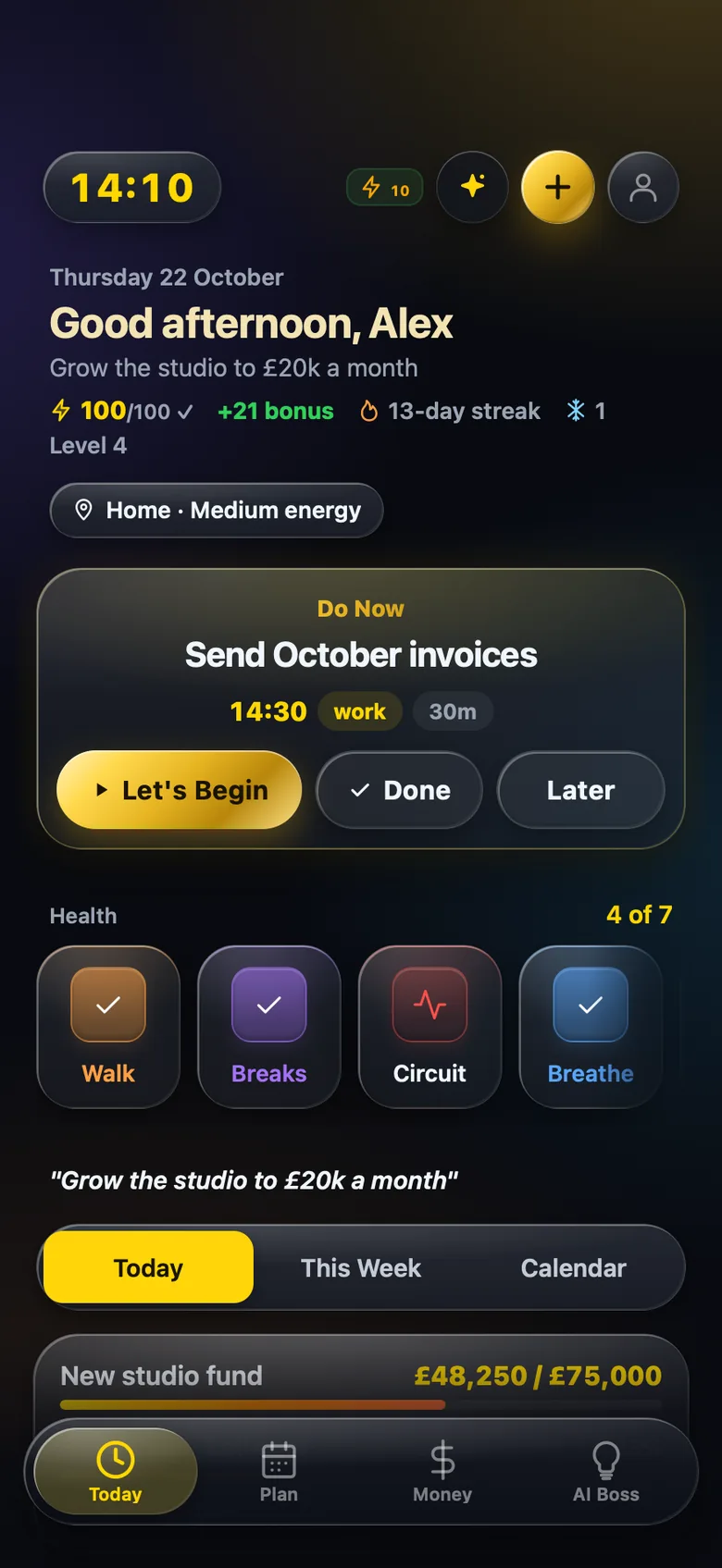
BossMode is an iPhone and iPad app for UK sole traders and limited company directors, built around this idea. AI Boss plans your day and picks the one task to do now, and the Today screen shows it on its own. A focus timer for that task runs in the Dynamic Island and on the Lock Screen, so you can see it without opening anything else.
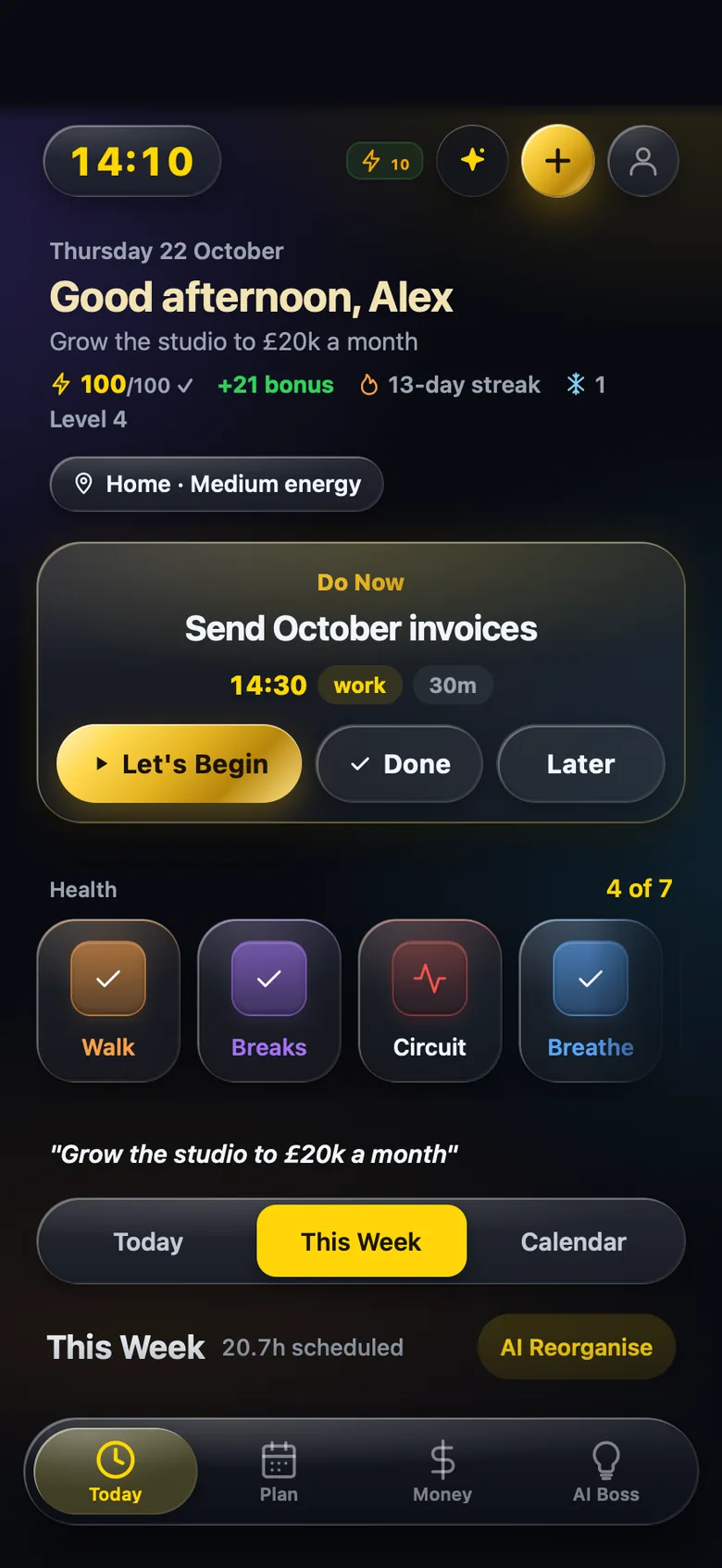
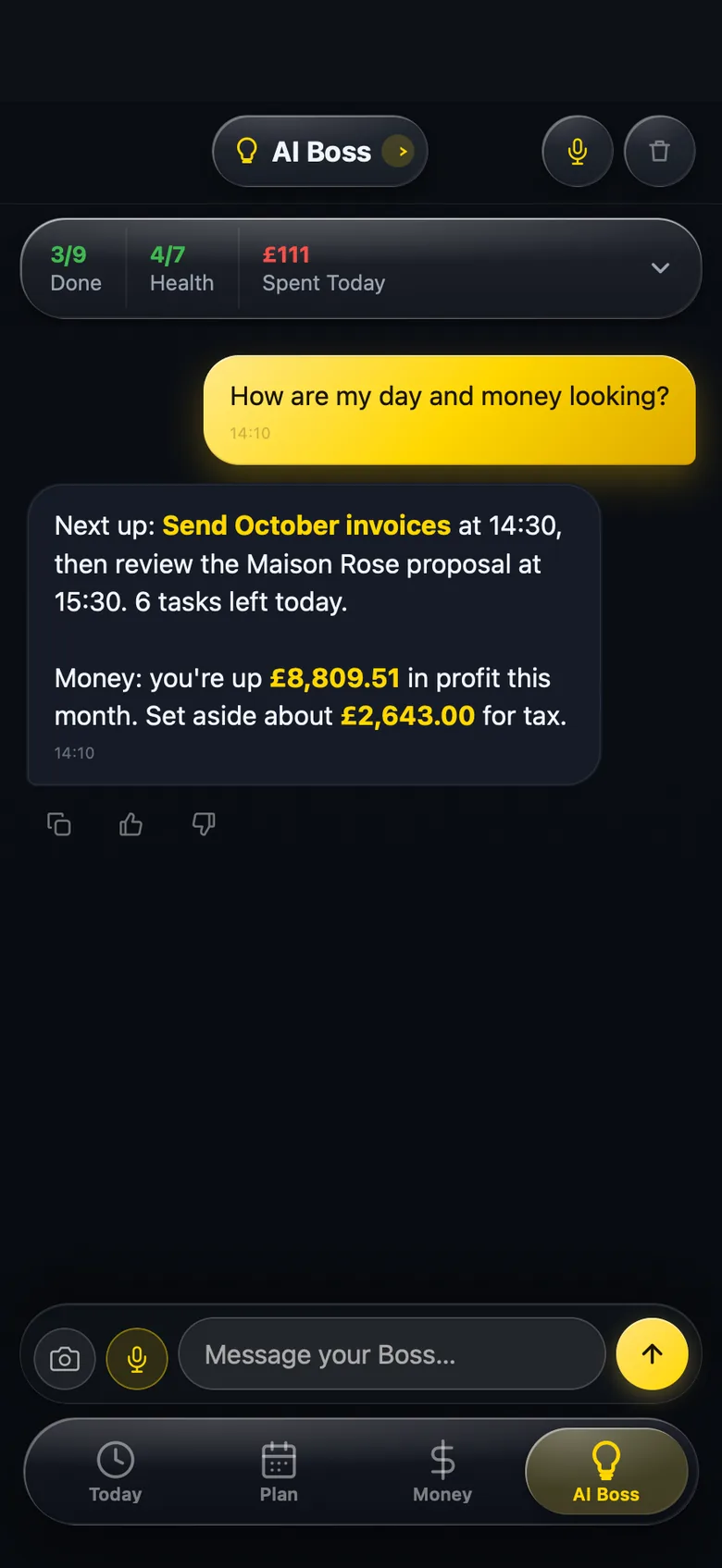
The rest of your list lives in the Plan tab, with Today, This Week and Calendar views. This Week shows how many hours you have scheduled, and AI Reorganise reshuffles things when the week changes. You can pull down from anywhere to ask AI Boss a question in plain English, by voice or text, such as "How are my day and money looking?" It answers from your own tasks and money with your next task, this month's profit and an amount to set aside for tax. AI only runs after you allow it.
Focus time counts too: you earn 1 Boss Point for every 5 minutes on a task timer, towards a daily target of 100. BossMode also keeps your business money in the same app, from bank statement imports to tax return figures. Those figures are a guide built from your own records, not tax advice, and you file yourself on GOV.UK.
Questions people ask
Does working one task at a time mean I get less done?
Usually the opposite. You spend less time deciding, restarting and checking other things, so more of the day goes on finished work. The list still gets done, just in order rather than all at once.
How do I choose the one task when everything feels important?
Run each candidate through a short test. Is there a deadline today? Is money attached to it? Is someone waiting on it? The task with the most yes answers goes first. If two tie, pick the one you can finish soonest.
What if something urgent comes in while I am on my task?
Write it down and ask whether it really cannot wait until your time box ends. Most things can wait 30 minutes. If it truly cannot, stop, deal with it, and then come back and restart your timer.
Should I delete tasks I keep putting off?
Often, yes. If a task has moved from week to week for a month, either break it into a smaller first step or admit it is not happening and remove it. A shorter, honest list is easier to trust.
BossMode is coming to the App Store
Import a statement, check it adds up, and see your tax return figures box by box on your iPhone. Leave your email and we will tell you the day it launches.
Get notified at launch Every plan will start with a 14-day free trial through Apple. See plans.