
Sync is stuck or a device looks out of date
Fix BossMode sync when Push or Pull does not finish or a device shows old data.
- Check you are online, and signed in with the same account on both devices (Settings → Account & profile).
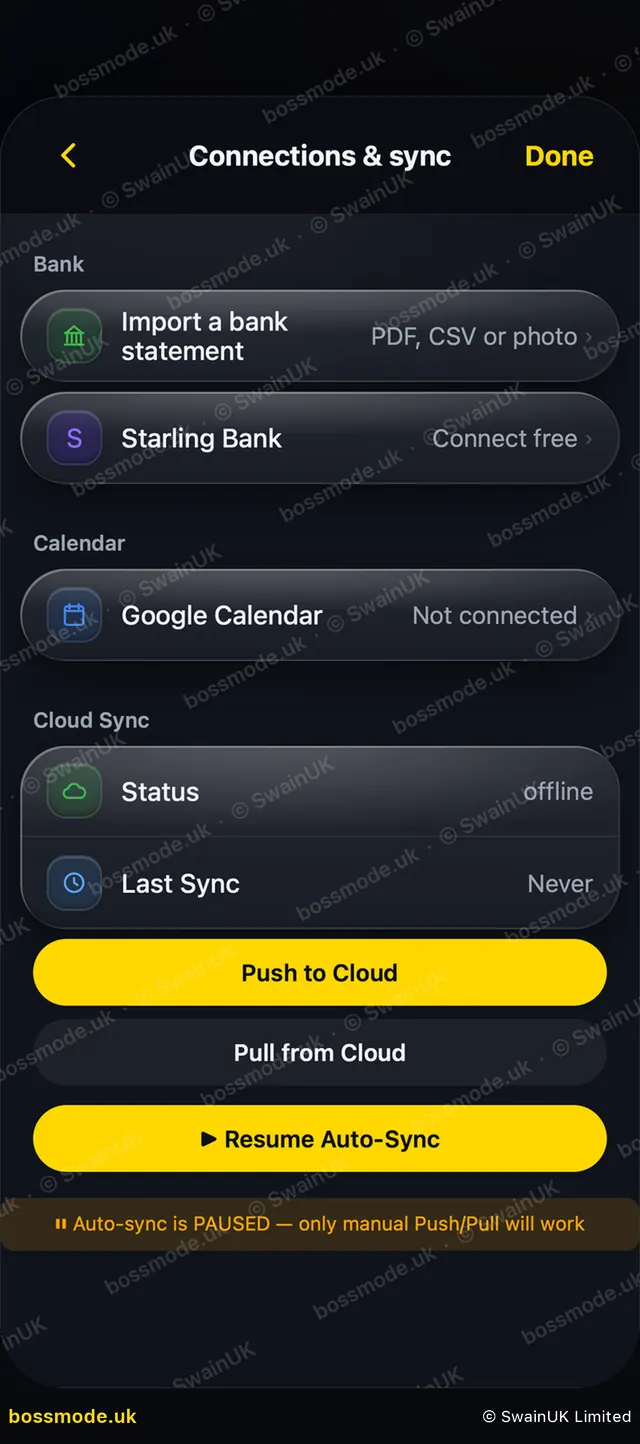
- On the device with your newest changes, open Settings → Connections & sync and tap Push to Cloud.
- If it says Still uploading…, leave the app open until it says Up to date ✓. Big books can take a few minutes.
- If it says Couldn’t check the cloud. Nothing uploaded. or Upload timed out, nothing was lost. Wait a moment and tap again.
- If it says Auto-Sync is paused, tap Resume Auto-Sync in the same section.
- On the other device, tap Pull from Cloud.
BossMode refuses an upload that would remove entries from the cloud without asking you. That is on purpose, to protect your books.
Was this helpful?
Still stuck? Contact us
We answer within 2 working days (UK office hours).
Contact us