
Add income and costs
Log money in and money out in BossMode, by hand or by asking the AI Boss.
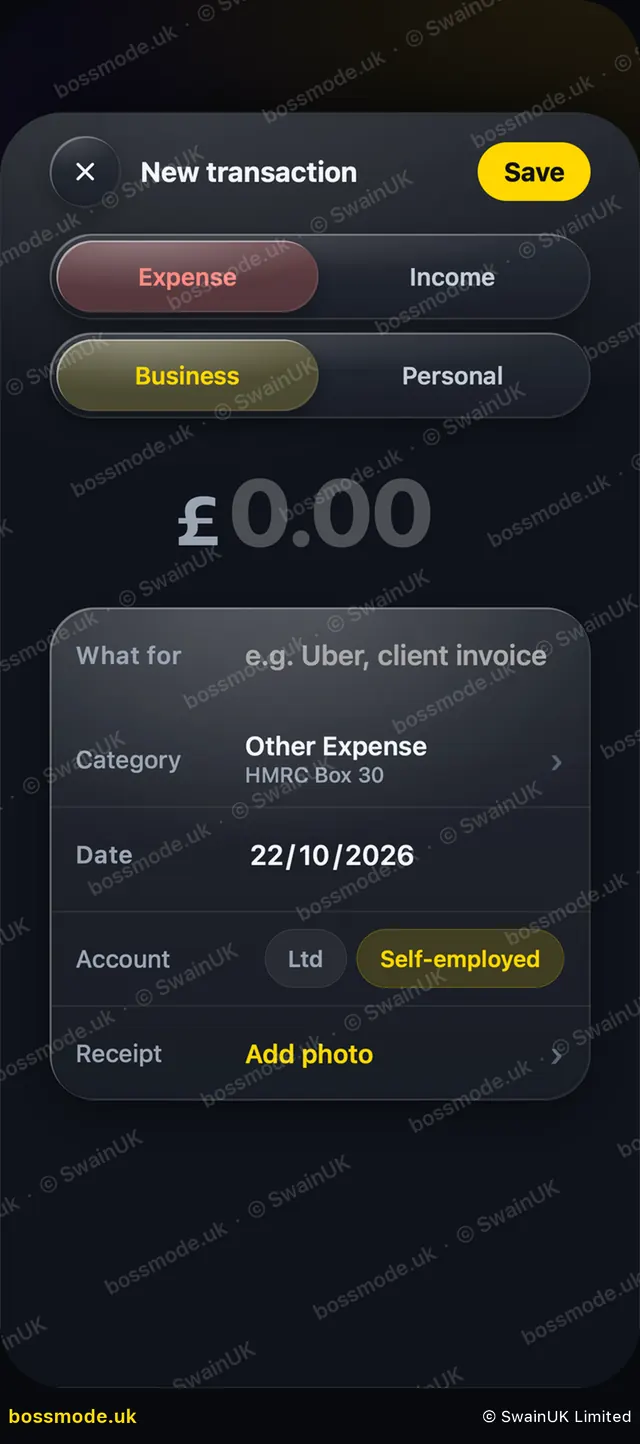
- Open Money and tap the gold + at the top. The New transaction sheet opens.
- Tap Expense or Income, then Business or Personal.
- Type the amount.
- Under What for, add a short description, for example "Adobe Creative Cloud".
- Tap Category and pick one. Each shows its HMRC box (see Categories).
- Check the Date, and under Account pick Ltd or Self-employed if you run both.
- Tap Save. Your profit for the month updates at once.
Faster: tell the AI Boss, for example "Spent 18 on software and 7.40 on a taxi", and it logs both with categories.
To change an entry, tap it in the list, edit it and save. To remove it, open it and delete it. You can undo straight away.
Was this helpful?
Still stuck? Contact us
We answer within 2 working days (UK office hours).
Contact us