
Cloud sync, Push and Pull
How cloud sync works, and when to use Push to Cloud and Pull from Cloud.
When you are signed in, BossMode saves your data to your account in the cloud and keeps your devices in step.
You can also do it by hand in Settings → Connections & sync, under Cloud Sync:
- Push to Cloud uploads this device’s copy. It merges in changes from your other devices first.
- Pull from Cloud downloads the latest copy to this device.
Moving work between devices
- On the device with your newest changes, tap Push to Cloud.
- Wait for Up to date ✓.
- On the other device, tap Pull from Cloud.
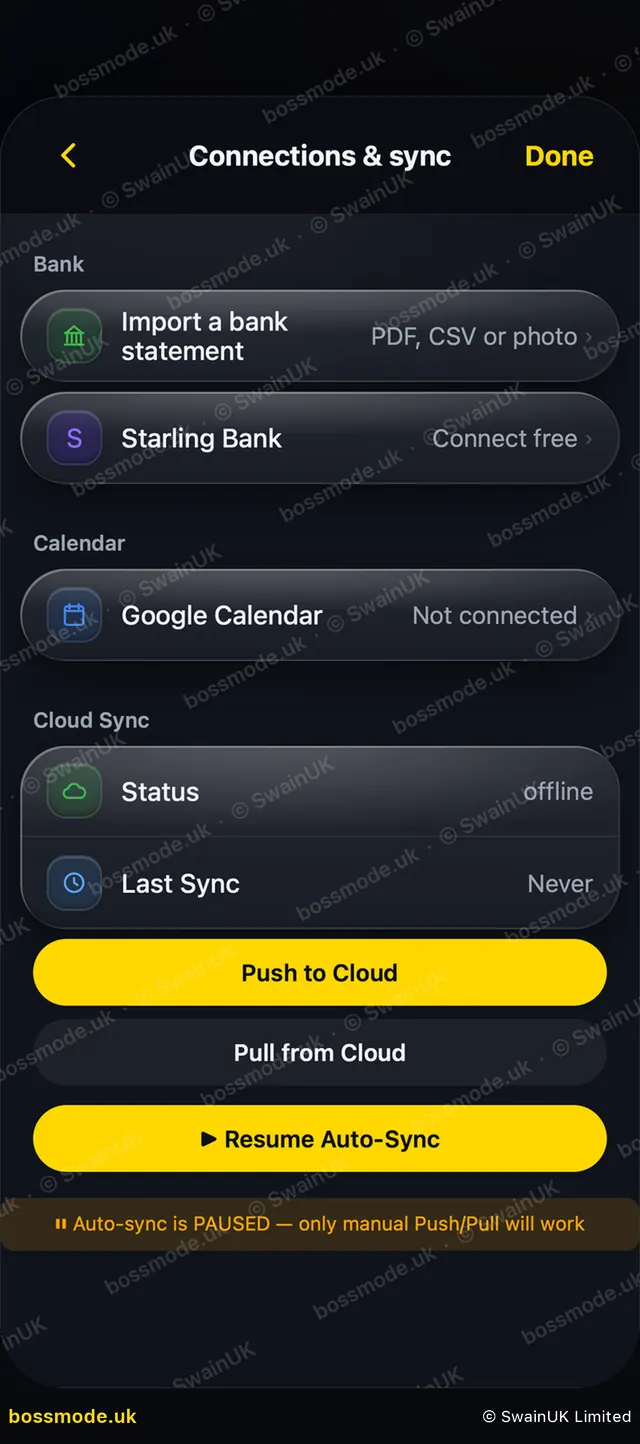
If it says Still uploading…, keep the app open until it finishes. If you see Auto-sync is PAUSED, tap Resume Auto-Sync; Push and Pull still work while it is paused.
Finished and deleted tasks stay that way
A task you tick done or delete on one device stays done or deleted on all of them. Every upload merges your tasks with the cloud copy first, so a device that was offline, or hasn’t opened BossMode for a while, can’t put old tasks back.
Keep BossMode up to date on every device you use. An old version on a phone you no longer use can still upload old tasks. See Using BossMode on more than one device.
Still stuck? Contact us
We answer within 2 working days (UK office hours).
Contact us