
Focus timer, Dynamic Island and Live Activity
Start a focus timer on a task and keep it on your Lock Screen and in the Dynamic Island.
The focus timer counts down while you work on one task. When you leave the app, the timer keeps showing on your Lock Screen and, on iPhones that have one, in the Dynamic Island.
- On Today, tap Let’s Begin on the Do Now card. Or tap any task, then tap Start.
- The timer starts at once and counts in the pill at the top of BossMode.
- Lock your phone or switch apps: the time stays in the Dynamic Island and on the Lock Screen.
- Tap the Dynamic Island or the Lock Screen timer to jump back into BossMode.
- When you finish, mark the task done.
Turn Live Activities off
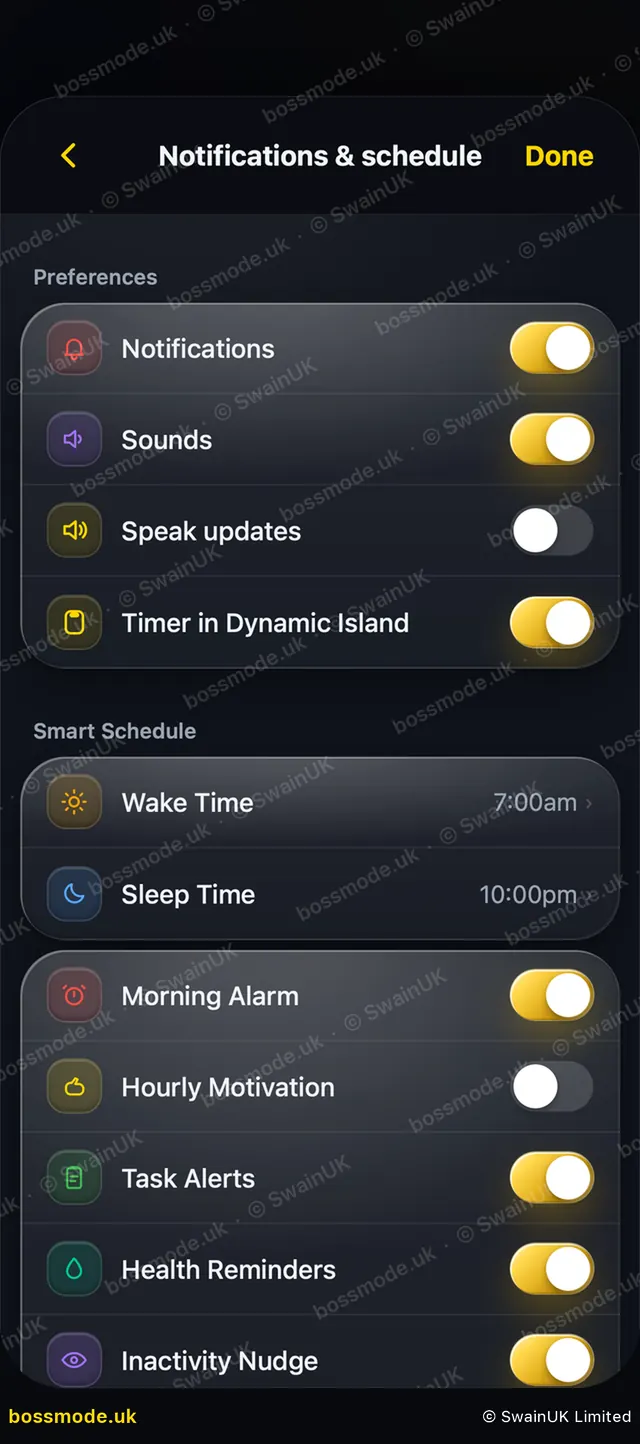
Open Settings → Notifications & schedule and turn off Timer in Dynamic Island. You can also allow or block Live Activities for BossMode in iPhone Settings.
Live Activities need iOS 16.1 or later. The Dynamic Island is on iPhone 14 Pro and newer.
Focus Shield
Focus Shield is off until you turn it on in Settings → Focus Shield. When it is on and you haven’t worked yet today, BossMode first shows your tasks for today and asks you to start one. Every 2 minutes of work earns 1 minute of free time. Tap Not now to skip it.
Still stuck? Contact us
We answer within 2 working days (UK office hours).
Contact us