
Restore purchases
Get your BossMode plan back on a new device or after reinstalling.
- Sign in to BossMode with the same account as before.
- Make sure the device uses the Apple ID that bought the plan.
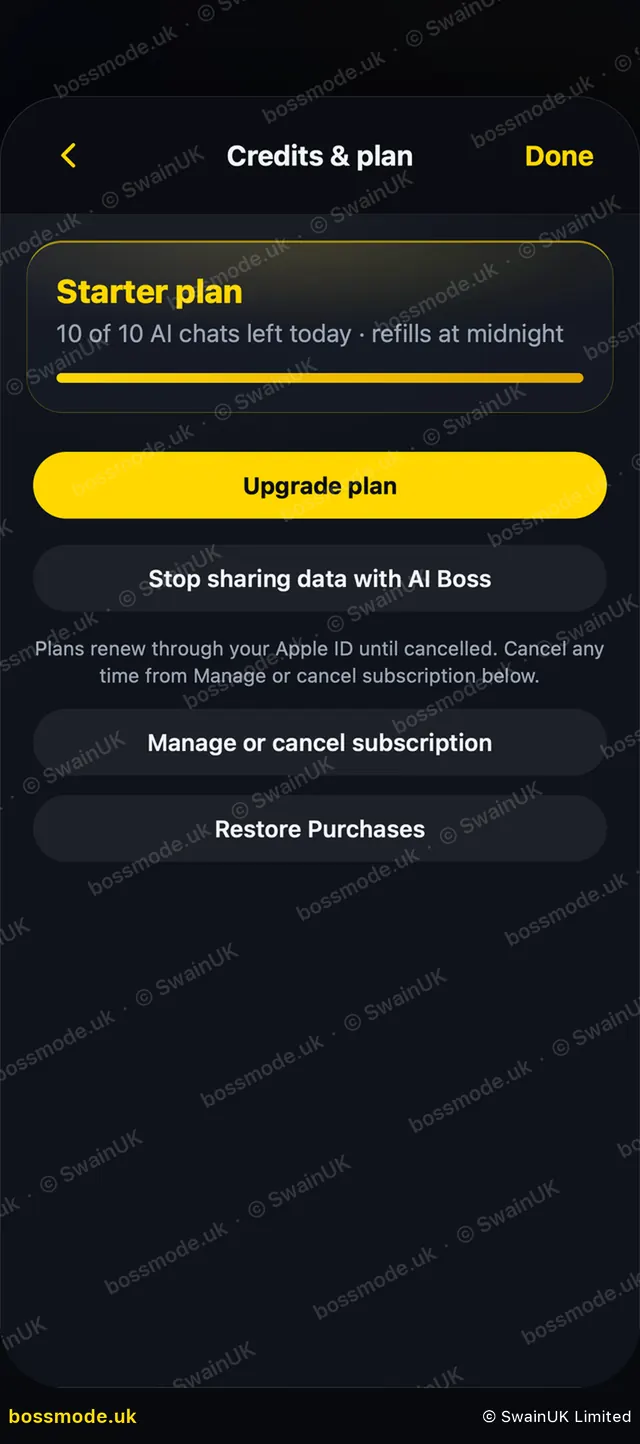
- Open Settings → Credits & plan and tap Restore Purchases.
After you pay
You see Activating your plan… for a few seconds, then your plan is active. BossMode does not ask you to pay again.
If it takes longer, BossMode tells you your payment went through and the plan will show shortly. If it still isn’t there after a minute, tap Restore Purchases.
If BossMode can’t use the purchase
- “This Apple ID’s subscription belongs to another BossMode account.” Sign in with the BossMode account you used when you bought it.
- “The subscription on this Apple ID has ended.” Start a new plan to use AI features again.
- “This purchase was refunded.” A refunded purchase can’t start a plan.
- “This purchase can’t be applied to this account.” Your plan hasn’t changed. Contact hello@swainuk.com and we’ll sort it out.
Still missing? See Credits or plan not showing.
Was this helpful?
Still stuck? Contact us
We answer within 2 working days (UK office hours).
Contact us