
Self Assessment
Self Assessment for sole traders: what goes in each box
Turnover, other income, the expense boxes and the total, explained for UK sole traders filing the 2025/26 Self Assessment, with the deadlines that matter.
The Self Assessment return looks long, but if you are a sole trader most of it does not apply to you. What matters is one section: the self-employment pages. This guide goes through the boxes that section asks for, in order, and how to get each figure from your own records. It is written for the 2025/26 tax year, the return due by 31 January 2027.
The deadlines for 2025/26
Before the boxes, the dates. Missing them costs money even if you owe no tax.
- 31 October 2026: paper returns.
- 31 January 2027: online returns, and payment of any tax owed for 2025/26.
- 31 July 2027: second payment on account, if HMRC asks you to make them.
A return filed late gets an automatic £100 penalty, then more the longer it runs. The GOV.UK deadlines page has the full rules.
Which pages you need
The main return is the SA100. As a sole trader you add the self-employment pages, which come in two versions:
- Short (SA103S) if your turnover was under the VAT threshold, currently £90,000.
- Full (SA103F) if it was over, or your affairs are more complicated.
Filing online, HMRC's service asks the questions and picks the right pages for you. It uses the same figures, by name rather than box number. The box numbers below are from the full pages, because they are what most guides and accountants refer to.
If your total trading income was £1,000 or less, the trading allowance may mean you do not need to report it at all.
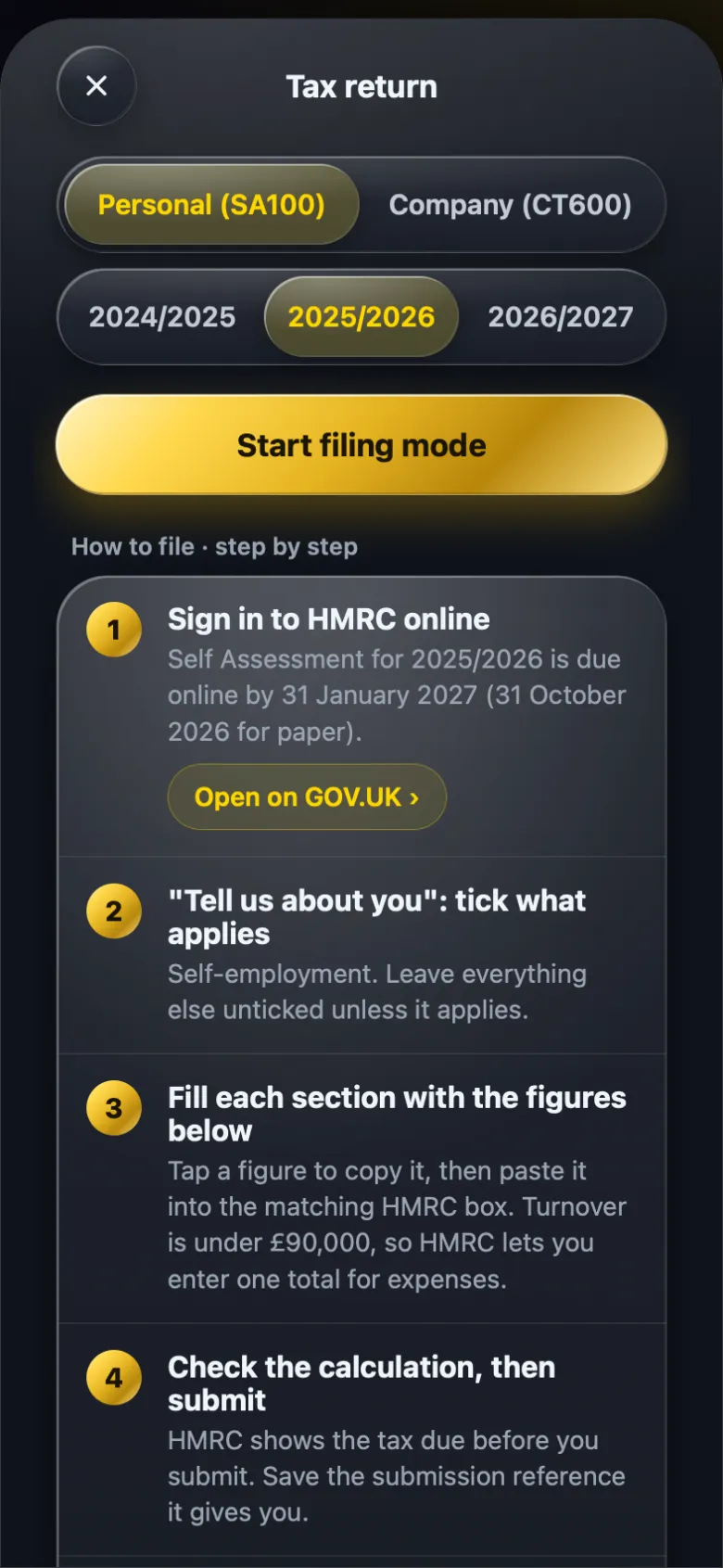
Box 15: your turnover
Turnover is everything your business was paid for its work in the tax year, before taking off any costs. Invoices paid, card payments, cash jobs. If you sort your bank statements into categories (see how to sort a bank statement into HMRC categories), this is the total of your income categories.
Count income in the tax year it was earned. If you use cash basis accounting, the default for most sole traders, that means money actually received between 6 April and 5 April. Do not include money that is not business income: transfers from your savings, loans, or a refund from a supplier for something you returned.
Box 16: any other business income
This is for business income that is not from your main trade. Typical examples are a grant or a one-off payment connected to the business that is not a sale. Most freelancers leave it empty. Keep it apart from turnover so both figures are right.
Boxes 17 to 30: allowable expenses
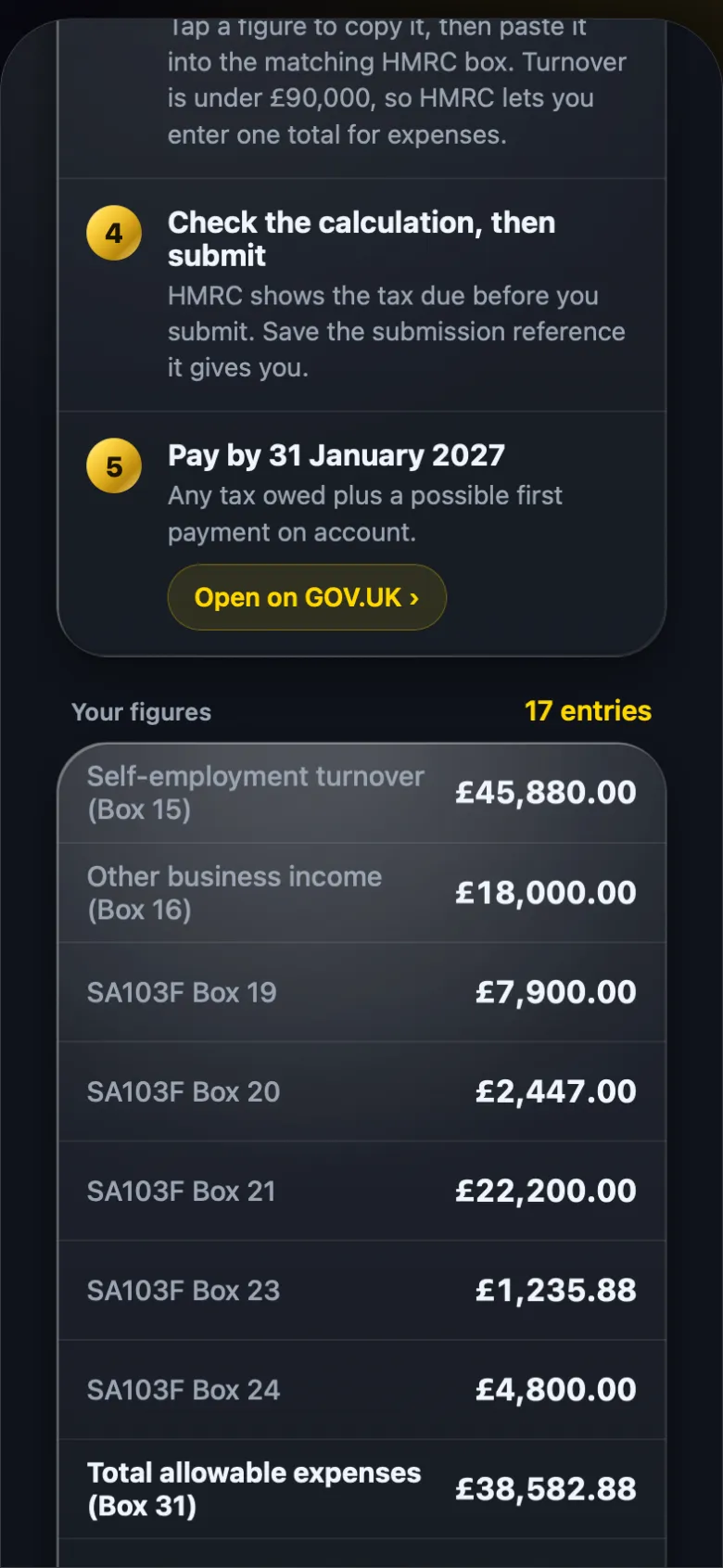
These are your business costs, one box per type. The ones most sole traders use:
| Box | What it covers |
|---|---|
| 17 | Cost of goods bought for resale or used up in the work |
| 19 | Wages, salaries and other staff costs |
| 20 | Car, van and travel expenses |
| 21 | Rent, rates, power and insurance |
| 22 | Repairs and maintenance of property and equipment |
| 23 | Phone, fax, stationery and other office costs |
| 24 | Advertising and business entertainment costs |
| 26 | Bank, credit card and other financial charges |
| 28 | Accountancy, legal and other professional fees |
| 30 | Other allowable business expenses |
Two traps. Box 24 mentions entertainment, but client entertaining is disallowed for tax, so it must not reduce your profit. And box 29, depreciation, is never allowed: equipment is claimed through capital allowances instead.
If your turnover was under £90,000, online you can skip the breakdown and enter one total for expenses. You still need the records behind it.
Box 31: total allowable expenses
The sum of the expense boxes. Turnover plus other income, minus this total, gives the profit HMRC taxes. It is worth checking that this number looks right against your year: if it is suspiciously close to your turnover, personal spending has probably crept in. The fix is usually splitting mixed payments properly, covered in business or personal: how to split mixed payments.
Payments on account
If your bill is over £1,000, HMRC normally asks for two advance payments towards next year's tax, each half of this year's bill, due 31 January and 31 July. People are often caught out the first year because the January payment is this year's tax plus the first advance. Read how payments on account work before you set money aside.
Making Tax Digital
From April 2026, sole traders and landlords with qualifying income over £50,000 have to keep digital records and send quarterly updates through compatible software. The annual figures above still matter, but the way you send them changes. BossMode does not send quarterly updates to HMRC, so if you are in Making Tax Digital you also need compatible software.
How BossMode lays it out
BossMode's tax return guide takes the entries you have imported and sorted and works out each box above for the year you pick. In filing mode it walks you through HMRC's online return in order, with a copy button next to each figure, so you paste numbers rather than add them up. If you are a director as well, your company salary and dividends appear on the same personal return.
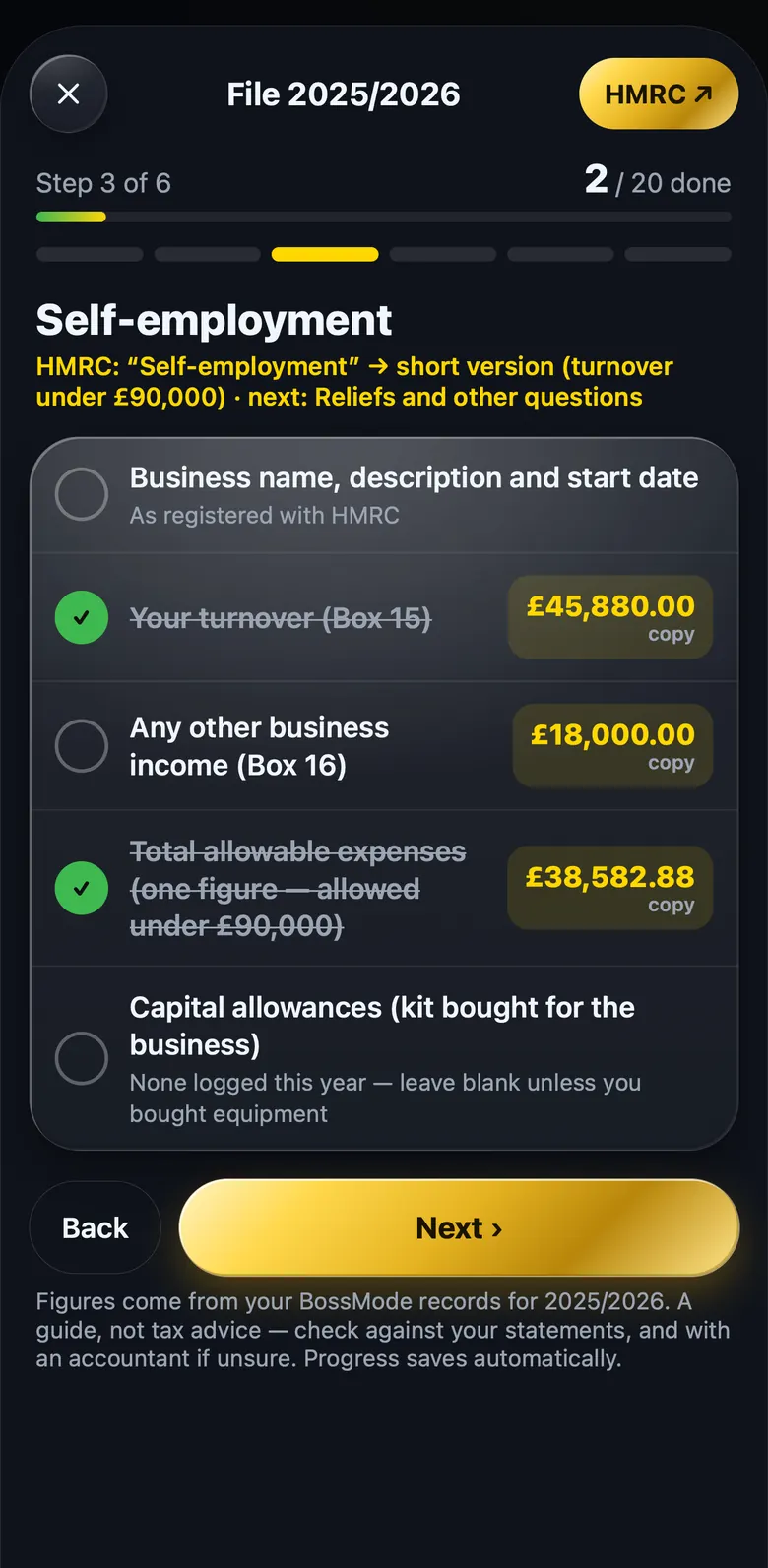
You sign in and file on GOV.UK yourself. It is a guide built on your own records, not tax advice, so if something unusual happened this year, such as selling equipment or a change of business, check it with an accountant.
Questions people ask
When is the 2025/26 Self Assessment due?
31 January 2027 if you file online, and 31 October 2026 for a paper return. Any tax owed for 2025/26 is also due on 31 January 2027.
Do I use the short or full self-employment pages?
If your turnover was under the VAT threshold of £90,000 you can usually use the short pages, and online you can give one total for expenses. Above that, HMRC wants the expenses broken down by box.
Where does National Insurance go?
You do not fill in a separate box for it. Class 4 National Insurance on your profits is worked out by HMRC from the figures on the same return.
Does BossMode file the return for me?
No. BossMode shows each figure from your own records with a copy button and the GOV.UK link. You sign in and file it yourself, and it is a guide, not tax advice.
BossMode is coming to the App Store
Import a statement, check it adds up, and see your tax return figures box by box on your iPhone. Leave your email and we will tell you the day it launches.
Get notified at launch Every plan will start with a 14-day free trial through Apple. See plans.