
Self Assessment
Payments on account explained for sole traders
Why your first January Self Assessment bill is bigger, how the two payments on account work, when you can reduce them, and how to set money aside each month.
Most sole traders find out about payments on account the hard way. You file your first return, you expect a bill for last year, and the total due on 31 January is half as much again. Nothing has gone wrong. That extra amount is HMRC asking for part of next year's tax in advance. Once you understand how the cycle works, you can plan for it and stop it catching you out.
What payments on account are
Payments on account are advance payments towards your next Self Assessment bill. They cover your Income Tax and Class 4 National Insurance on your profits. Instead of paying everything in one go after the tax year ends, you pay in instalments:
- First payment on account: due by 31 January, during the tax year it relates to.
- Second payment on account: due by 31 July, after that tax year has ended.
- Balancing payment: due by the following 31 January, for whatever is still owed once you file.
Each payment on account is normally half of your previous year's bill. HMRC uses last year as a guide to this year, because it cannot know your real profit until you file.
You do not have to make them if your last bill was under £1,000, or if more than 80% of your tax was already collected at source, for example through a PAYE job. The full rules are on the GOV.UK payments on account page.
Why your first January bill is bigger
In your first year of payments on account, two things land on the same date. On 31 January you pay:
- The whole bill for the tax year that has just ended, because nothing was paid in advance for it.
- The first payment on account for the current tax year, which is half of that bill again.
So the total is roughly 150% of your bill. Here is a worked example for someone whose first bill is for 2025/26.
| Date | What it is for | Amount |
|---|---|---|
| 31 January 2027 | Full bill for 2025/26 | £6,000 |
| 31 January 2027 | First payment on account for 2026/27 | £3,000 |
| 31 January 2027 total | £9,000 | |
| 31 July 2027 | Second payment on account for 2026/27 | £3,000 |
That £9,000 in January is the shock. After that first year, things even out. You are now paying each year's tax partly in advance, so the January bill is usually much closer to what you expect.
How the cycle settles in year two
Carry the example on. Say your profit grew and your 2026/27 bill comes to £7,000. You have already paid £6,000 of it through the two payments on account. On 31 January 2028 you pay:
- The balancing payment for 2026/27: £7,000 minus £6,000, so £1,000.
- The first payment on account for 2027/28: half of £7,000, so £3,500.
That is £4,500 in January, then £3,500 on 31 July 2028. If your profit had fallen instead, your payments on account might have been more than the final bill, and the extra would come back to you or go towards what you owe next.
The pattern to remember: growing profit means a balancing payment, and falling profit means an overpayment. Steady profit means January and July look much the same. For all the key dates in one place, see the Self Assessment deadlines page.
When you can reduce them
If you know this year will be quieter than last, you do not have to pay advance tax based on a better year. You can ask HMRC to reduce your payments on account, either in your HMRC online account or using form SA303.
Good reasons to reduce them include:
- Your profit has dropped, for example because you lost a big client or took time off.
- Your expenses have gone up, such as a large equipment purchase or a new studio.
- You have stopped trading or moved into employment where tax is taken through PAYE.
Be careful with this. Reducing is a forecast, not a discount. If you cut your payments on account and your real bill turns out higher, you pay the difference with interest. Base the reduction on actual figures from your records so far this year, not a hopeful guess. If your records are behind, catching up first is worth it. How to sort a bank statement into HMRC categories is a quick way to get current.
Setting money aside from your monthly profit
The surest way to make January painless is to put tax money aside every month, from profit, before you spend it. A few approaches that work:
- A separate savings account just for tax. Move money in on the same day each month. If it is not in your everyday account, you are less likely to spend it.
- Base it on profit, not income. Tax is charged on what is left after allowable expenses. Set aside a share of each month's profit rather than a share of everything clients pay you.
- Use last year as a floor. Take last year's total bill, divide by 12, and treat that as the minimum monthly transfer. Add a bit more if this year is going better.
- Do not count the payments on account as extra. They are part of the same tax, just paid earlier. If you have saved steadily, the money is already there.
Paying yourself a regular amount and leaving the rest in the business makes this easier, because the tax pot comes out before your own pay. How to pay yourself a salary as a freelancer covers that system.
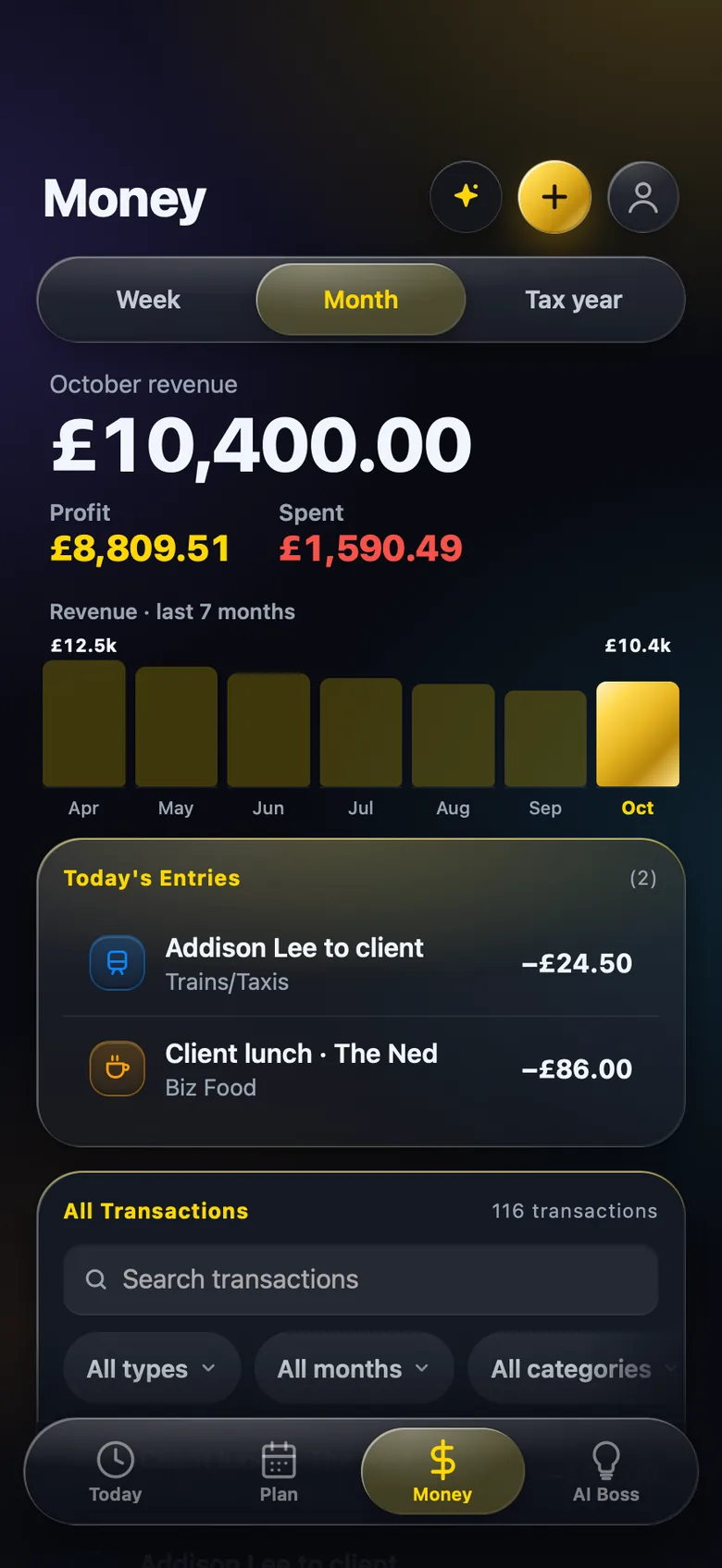
The habit that matters most is checking your profit regularly. Missed expenses push it up on paper, and that raises both your bill and your next payments on account. Self-employed expenses you're forgetting to log lists the common ones.
Recording what you pay HMRC
When the money leaves your account for HMRC, it is not a business expense. Income Tax and National Insurance on your profit are personal tax, so they do not reduce your profit. Keep them out of your expense categories so your figures stay accurate.
Sorting payments to HMRC as tax paid also gives you a clear record of what you have already paid towards each year. That helps when you check your statement in your HMRC account, or decide whether to reduce your payments on account.
You can pay through your HMRC online account, by bank transfer or by Direct Debit. The options and reference details are on Pay your Self Assessment tax bill.
Where BossMode fits
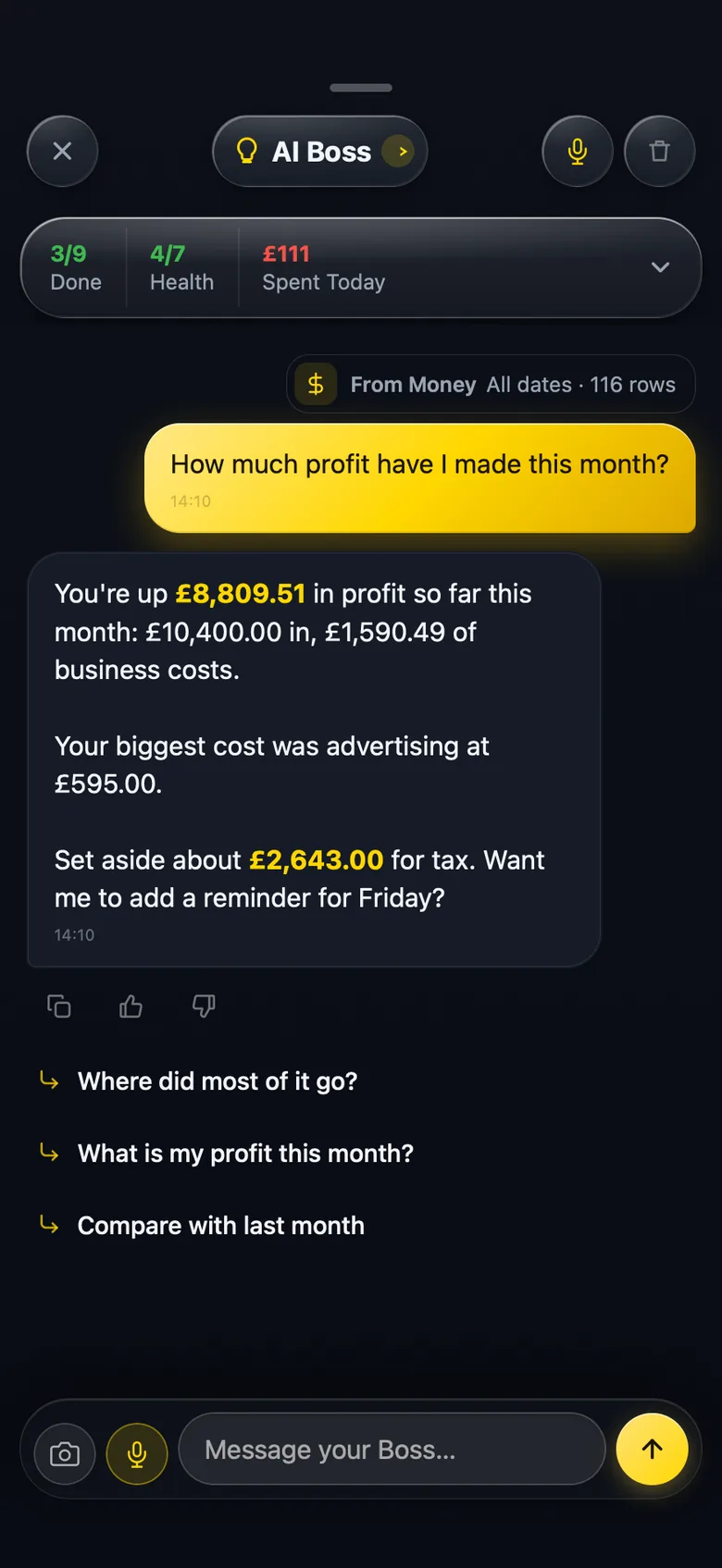
BossMode is an app for iPhone and iPad for UK sole traders and limited company directors. You import a statement from any UK bank or card, it checks the lines add up to the penny against the opening and closing balance, and sorts each one into a category. The Money tab shows revenue, spending and profit by week, month or tax year, which is what you need to set money aside each month and to judge whether a reduction is realistic. You can also ask the AI Boss in plain English, such as "How much profit have I made this month?", and it answers from your own records.
On the Business plan, and in the 14-day free trial, the tax return guide walks you through the personal (SA100) return step by step with GOV.UK links and deadlines. It gives you your own self-employment figures with copy buttons, such as turnover for box 15 and total allowable expenses for box 31. The box-by-box detail is in Self Assessment for sole traders: what goes in each box.
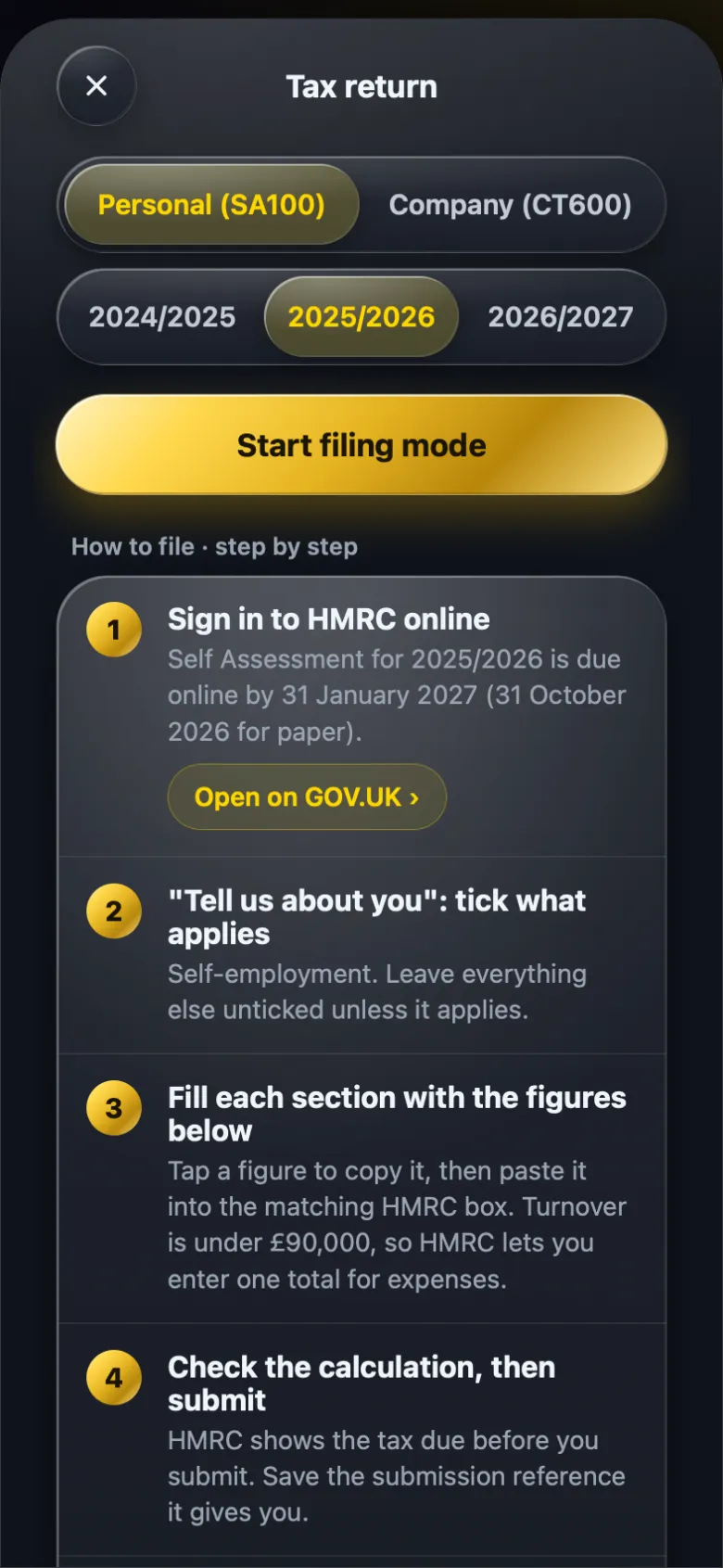
You file the return yourself on GOV.UK, and BossMode is not affiliated with HMRC. Everything here is a guide to help you understand your figures, not tax advice. If your situation is complicated, speak to an accountant.
Questions people ask
Do I have to make payments on account?
Only if your last Self Assessment bill was £1,000 or more and less than 80% of your tax was already taken at source, for example through PAYE. If either of those applies, HMRC will not ask for them.
When are payments on account due?
There are two each year, due by 31 January and 31 July. Each one is normally half of your previous year's bill. Any balance left over is due the following 31 January.
Can I reduce my payments on account?
Yes, if you expect this year's bill to be lower than last year's. You can do it in your HMRC online account or with form SA303. If you reduce them too far and the real bill is higher, you pay interest on the shortfall.
What happens if I overpay?
If your payments on account add up to more than your final bill, the extra can be refunded or set against what you owe next. It shows up when you file your return for that year.
BossMode is coming to the App Store
Import a statement, check it adds up, and see your tax return figures box by box on your iPhone. Leave your email and we will tell you the day it launches.
Get notified at launch Every plan will start with a 14-day free trial through Apple. See plans.